do frozen vegetables have less sodium than canned vegetables
Yes, plain frozen vegetables usually have less sodium than canned vegetables because they are typically frozen without added salt. But the package matters: seasoned frozen vegetables can contain added sodium, while no-salt-added canned vegetables may be low in sodium.
This article explains how processing affects sodium, how to compare nutrition labels fairly, and what to do if canned vegetables are your most practical choice. You will also find ways to reduce sodium without sacrificing convenience or flavor, plus a simple method for choosing between frozen and canned options at the store.
do frozen vegetables have less sodium than canned vegetables
Usually, yes, if both products are plain and unsalted. Plain frozen vegetables are commonly packaged without salt, while salt is often added to canned vegetables as a seasoning or preservative aid. That difference can make the canned version higher in sodium, but it is not guaranteed.
Some frozen vegetables come with sauces, seasoning blends, or salt already added. Canned vegetables also include no-salt-added and reduced-sodium options. The only reliable way to know which product has less is to compare the Nutrition Facts labels on the packages you are considering.
Vegetables contain some naturally occurring sodium, so even an unsalted product may list a small amount. The practical concern is usually added sodium, which can vary widely by brand and preparation. Look at the amount per serving, the serving size, and the ingredient list rather than relying on the words “frozen” or “canned” alone.
Why canned and frozen vegetables can differ
Canning and freezing preserve vegetables in different ways. Canned vegetables are heated in sealed containers to make them shelf-stable. Salt may be included in the liquid for flavor, and the vegetable absorbs some sodium during processing and storage.
Freezing slows the activity that can spoil food, so plain frozen vegetables generally do not need salt for preservation. They are often blanched first, which means they are briefly heated and then cooled before freezing. Blanching does not automatically mean salt was added. However, a manufacturer can add salt or seasoning afterward, so check the package.

Framendino, 16 Pack Artificial Chicken Nuggets Fake Fried Food Models Props for Kitchen Decor
Check Price on AmazonThe liquid around canned vegetables can also affect how much sodium you eat. Some sodium may be in the canning liquid, but the vegetables can absorb some too. Draining or rinsing may lower the amount you consume, yet it does not remove every bit of sodium.
How to compare sodium on nutrition labels
Start with the Nutrition Facts panel, not the front-of-package claims. “Low sodium,” “reduced sodium,” and “no salt added” have different meanings, and a package may still contain sodium from the vegetable itself or other ingredients.
- Compare the same type of vegetable. Check peas against peas or corn against corn. Different vegetables naturally have different nutrient profiles.
- Check serving sizes. One label may list a smaller serving than another. If the serving sizes differ, compare the sodium for equal amounts of food.
- Compare products in the same state. A label may describe the product as prepared, drained, or as packaged. Make sure you are comparing like with like.
- Read the ingredient list. Look for salt, sodium-containing seasonings, broth, sauces, or flavoring blends.
- Check the whole package if you may eat it all. Several servings can add up to substantially more sodium than one serving.
A useful way to compare packages of different sizes is to calculate sodium per 100 grams. Divide the sodium listed for a serving by the serving weight, then multiply by 100. This is especially helpful when serving sizes differ or when one product is packed in liquid and another is not.
For example, if one product lists 180 milligrams of sodium per 150-gram serving, that equals 120 milligrams per 100 grams. If another lists 140 milligrams per 100-gram serving, the first product has less sodium by weight, even though its number per serving looks higher. The calculation is a comparison tool, not a recommendation about how much to eat.
Typical options compared
These patterns are general, not guarantees. Recipes, brands, and serving sizes vary, so use the label to make the final choice.
| Vegetable option | What to expect | Best for |
|---|---|---|
| Plain frozen vegetables | Often no salt added; check for seasoning or sauce | A convenient low-sodium starting point |
| Seasoned frozen vegetables | May include salt, sauce, cheese, or broth | Quick side dishes when the sodium fits your needs |
| Regular canned vegetables | May contain added salt in the liquid or recipe | Long storage and ready-to-use convenience |
| No-salt-added canned vegetables | Made without salt added during processing; naturally occurring sodium may remain | Shelf-stable vegetables with more control over seasoning |
| Reduced-sodium canned vegetables | Less sodium than a comparable regular product, but not necessarily low in sodium | A middle option when unsalted versions are unavailable |
For a dependable low-sodium pick, look for plain frozen vegetables or a clearly labeled no-salt-added canned variety. “Reduced sodium” means less than a comparable standard product; it does not automatically mean the amount is low for your meal.
What sodium claims on packages mean
Package wording can help narrow your choices, but each claim has a specific meaning. In the United States, “low sodium” generally means 140 milligrams of sodium or less per serving. “Very low sodium” means 35 milligrams or less per serving, and “sodium-free” means fewer than 5 milligrams per serving.
“Reduced sodium” means the product has at least 25% less sodium than the regular version it is compared with. It can still contain a considerable amount. “No salt added” means salt was not added during processing; it does not mean the food contains absolutely no sodium.
These definitions are useful, but serving size still matters. A product can meet a claim per serving while providing several servings in the package. If you eat a larger portion, your sodium intake rises accordingly.
How to lower sodium in canned vegetables
Canned vegetables can still be a sensible choice. They are convenient, have a long shelf life, and can make it easier to include vegetables in a meal when fresh produce is unavailable or inconvenient. A few simple steps can reduce the sodium you get from some canned products.
- Choose no-salt-added when available. This gives you more control over seasoning at home.
- Drain the liquid. This removes the packing liquid, which can contain added salt.
- Rinse under running water. Place the vegetables in a colander and rinse them briefly, then drain well. Rinsing can wash away some surface sodium, but it cannot remove sodium absorbed into the food.
- Season after tasting. Add herbs, garlic, pepper, citrus, vinegar, or spices before reaching for the salt shaker.
- Use a portion that fits the meal. If you are watching sodium closely, check how much you plan to serve rather than assuming one can equals one serving.
Rinsing is a practical step, not a reason to ignore the label. The amount removed depends on the product and how it is handled. If sodium needs to be tightly limited, choose a lower-sodium product first and treat rinsing as an extra measure.
How to season plain frozen vegetables without much salt
Plain frozen vegetables are a flexible base because you can add flavor yourself. Cook them according to the package directions, then taste before adding salt. Many vegetables need less seasoning than expected when paired with aromatic ingredients or a flavorful main dish.
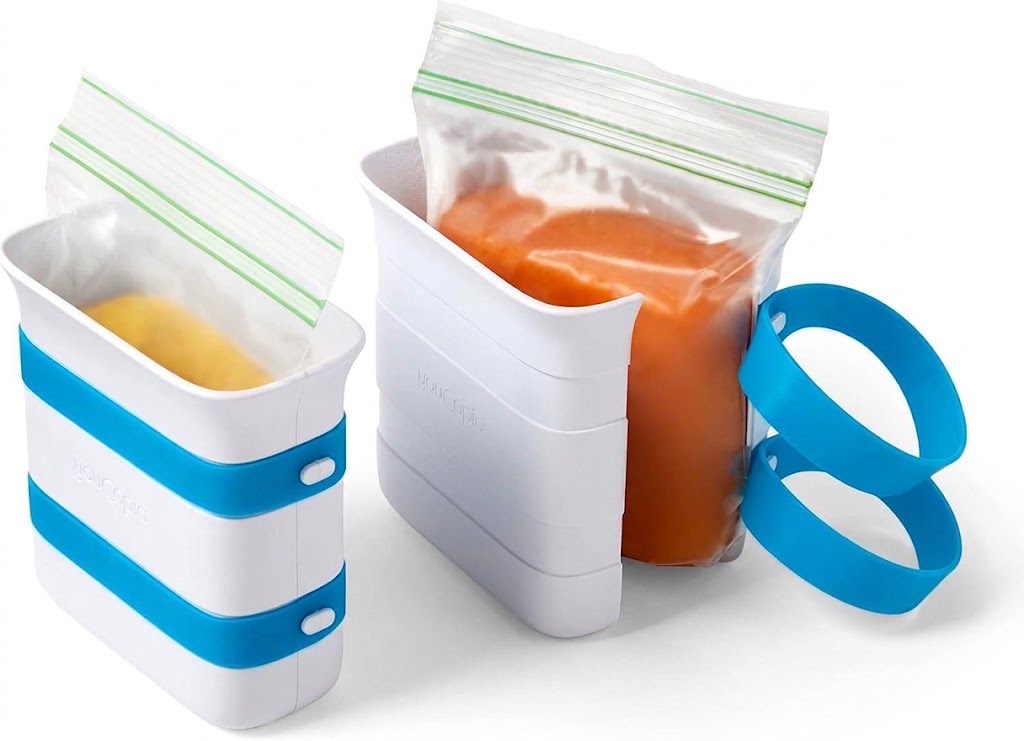
YouCopia FreezeUp Freezer Food Block Maker, 2 Cup, 2-Pack,
Check Price on Amazon- Use aromatics: Cook garlic, onion, or ginger briefly in a small amount of oil before adding vegetables.
- Add brightness: Finish with lemon juice, lime juice, or a little vinegar to make flavors feel more vivid.
- Use herbs and spices: Try black pepper, smoked paprika, cumin, chili flakes, dill, or dried Italian herbs.
- Add texture: Toasted nuts or seeds can make a simple vegetable side more satisfying.
- Build flavor with unsalted ingredients: Choose unsalted broth, plain yogurt, or a small amount of an unsalted sauce when a recipe calls for moisture or richness.
Check seasoning blends and sauces, even when they are sold alongside vegetables. Some contain salt or sodium-based flavor enhancers. The ingredient list and sodium line on the label tell you more than the product name.
Common mistakes when choosing vegetables
Assuming every frozen option is low in sodium
Plain frozen vegetables are often a good low-sodium choice, but frozen meals and seasoned side dishes are different products. Cheese sauces, butter sauces, broth, and seasoning packets can add sodium. Check the whole package, including any separate sauce pouch.
Assuming every canned vegetable is high in sodium
Some canned vegetables contain added salt, but no-salt-added choices are widely available in many stores. A no-salt-added can may compare favorably with a seasoned frozen product. The preservation method alone cannot tell you which product has less sodium.
Comparing different serving sizes
A smaller serving can make a product appear lower in sodium. If one package lists a half-cup serving and another lists a full cup, compare equal amounts before deciding. Looking only at the large sodium number without checking serving size can lead to the wrong conclusion.
Treating “reduced sodium” as “low sodium”
Reduced-sodium products have less than their standard counterparts, but the remaining amount may still matter. Read the number in milligrams and consider how the product fits into the full meal.
Forgetting sodium from the rest of the dish
A low-sodium vegetable can end up in a high-sodium meal if you add salted butter, bottled sauce, cured meat, or salty cheese. Think about the finished plate, not just one ingredient. Choosing plain vegetables gives you control, but the other ingredients still count.
Which option makes sense for your kitchen?
Choose plain frozen vegetables when you want easy portioning, quick cooking, and a product that is often unsalted. They work well for stir-fries, soups, pasta, and side dishes. Keep in mind that a sauced or seasoned version may have a different sodium profile.
Choose no-salt-added canned vegetables when shelf life and convenience matter, or when frozen vegetables are not practical. They can be ready to add to a meal with little preparation. Drain and rinse them if appropriate, then season to taste.
Regular canned vegetables may still fit your needs, especially if the rest of the meal is low in sodium or you use a smaller amount. Compare brands and varieties rather than ruling them out automatically. If you are following a sodium target given by a health professional, use the package information and portion size to judge the fit.
Fresh vegetables can also be a useful option, but they are not automatically the easiest or most affordable choice for every meal. Frozen and canned vegetables both count as practical ways to keep vegetables available. The best option is one you can use consistently and prepare in a way that suits your needs.
A quick shopping method
Use this short routine in the store to make the comparison easier:
- Pick the same vegetable in two forms, such as plain frozen peas and canned peas.
- Check whether either product includes salt, sauce, or seasoning.
- Compare sodium per equal weight or equivalent serving, not just the listed serving figures.
- Look for no-salt-added or low-sodium wording if you want a lower-sodium choice.
- Choose the product that suits your cooking plans, storage needs, and budget.
Do not spend time comparing products that are prepared differently unless you adjust for that difference. A can packed in salty liquid and a frozen vegetable covered in sauce are not a fair plain-versus-plain comparison. Find the simplest versions first, then compare their labels.
How sodium fits into an overall eating pattern
Sodium is an essential mineral, but many people get more than they intend from packaged, prepared, and restaurant foods. The U.S. Nutrition Facts label uses 2,300 milligrams per day as the Daily Value for sodium. That figure is a reference for labels, not an individual prescription or a target that fits every person.
For perspective, the label’s percent Daily Value helps show how a serving contributes to that reference amount. As a general label guide, 5% Daily Value or less per serving is considered low, while 20% or more is considered high. Check the milligrams as well, especially if you eat more than one serving.
People with certain health conditions may receive a specific sodium limit from a clinician. Follow that guidance if it applies to you. For everyday shopping, comparing labels and choosing plain or no-salt-added vegetables can help you manage sodium without giving up the convenience of frozen or canned food.
Plain frozen vegetables usually have less sodium than regular canned vegetables, but that is a pattern rather than a rule. No-salt-added canned vegetables may be lower than seasoned frozen options, so the Nutrition Facts label is the deciding factor.
Next time you shop, compare equal amounts of the same vegetable, check the ingredients, and choose plain or no-salt-added versions when lower sodium is your priority. If you buy canned vegetables, draining and rinsing can help reduce some sodium, though it does not remove it all.