can you play frozen? Games and ways to join in
Yes, you can play games based on Frozen, but the right choice depends on what you mean by play. Frozen has appeared in mobile puzzle games and larger Disney games, while availability changes across devices and storefronts.
This guide explains the main ways to play, where Frozen fits into Disney Dreamlight Valley, and what to check before downloading or buying anything. You’ll also find options for children who want Frozen-themed activities without a video game. That distinction matters: a game featuring Elsa and Anna is not necessarily a standalone Frozen adventure.
can you play frozen? The direct answer
Yes, you can play Frozen-themed games, but there is not one single game that works on every platform. Frozen has been part of mobile games and broader Disney titles. Some older games may no longer be available to download, and the options you can access depend on your device, country, and account.
If you want to control Elsa or Anna in a story-based game, check the details of the specific title before buying it. A Frozen character may appear only in a special event, a puzzle level, or a section of a larger game. That is different from a full game built around the films.
If you mean playing pretend as a Frozen character, you can, of course. Costumes, role-play, singing, crafts, and simple story games are easy ways to bring the films into play without downloading an app.
What kind of Frozen game are you looking for?
Start by deciding what you want to do. Do you want to solve puzzles, explore a Disney world, play with favorite characters, or act out scenes? The answer helps you avoid buying a title that has the right characters but the wrong style of play.
| Option | What you do | Best for |
|---|---|---|
| Frozen puzzle game | Match items, clear levels, and complete objectives | Short, simple play sessions |
| Disney Dreamlight Valley | Explore, complete quests, and interact with Disney characters | Players who want a broader adventure |
| Older Frozen mobile title | Play a game made specifically around the films | People who already have access to a compatible version |
| Offline Frozen activities | Act, draw, sing, or make up a story | Families who want screen-free play |
These options are not interchangeable. A puzzle game usually focuses on quick levels, while a larger adventure gives you more places to explore but may include other characters and storylines. Check the game description for the actual activities, supported devices, and any in-app purchases.
How Frozen appears in Disney Dreamlight Valley
Disney Dreamlight Valley is a life-simulation adventure featuring characters from several Disney and Pixar stories. Frozen characters and a Frozen-themed realm are part of the game. Players can visit the realm, take on quests, and build relationships with characters such as Anna and Elsa as they progress.
This is a good fit if you want more than a short puzzle. The game combines exploration, quests, decorating, gathering resources, and character interactions. Frozen is one part of a larger Disney setting, not the entire game, so expect to meet characters from other films too.
Before purchasing, check the current platform listing and edition details. The game is offered across supported platforms, but editions, features, and availability can differ. Confirm that the version you are considering includes the content you want and runs on your device.
What to expect from the Frozen content
- Quest-based play: You complete tasks that help you progress through the game and interact with characters.
- A shared Disney setting: Frozen characters appear alongside characters from other stories.
- Longer play sessions: The broader game includes activities beyond Frozen quests.
- Progression: Some areas and activities become available as you advance, so the experience may not begin with every character or location unlocked.
Read the product page carefully if a particular character is the main reason you want the game. A character’s presence does not always mean that you can control them directly; in many life-simulation games, you interact with characters rather than play as them.
What happened to Frozen Free Fall and other mobile games?
Frozen Free Fall is a mobile puzzle game associated with Disney’s Frozen. It uses match-three-style play: you match pieces on a board to meet the level’s goal. Disney has also released other Frozen-related mobile games over the years, including titles built around characters and settings from the films.
However, an older game being known or discussed online does not mean it is still offered for every phone. Apps can be removed from stores, stop receiving updates, or become incompatible with newer operating systems. A listing on an old website may not provide a safe or working download.
To check whether a particular title is currently available, search for its exact name in the official app store for your device. Confirm the developer, supported operating system, recent update information, and in-app purchase details. Avoid unofficial download files, especially if they ask you to disable device security or provide account information.
If you already own a game, it may remain in your account’s download history, but access is not guaranteed. Store policies, device compatibility, and the publisher’s support can affect whether an older app can be reinstalled or played. Check your account library rather than assuming that a title found in an old review is still downloadable.
How to choose and start a Frozen game
Use these steps to find an option that suits the player and the device. They are particularly helpful when a child asks for a game after watching one of the films.
- Decide on the play style. Choose between puzzles, exploration, character interaction, or pretend play. Do not rely on the word Frozen in the title alone.
- Check the device. Look up the exact game in the official store for the console, computer, or phone you plan to use. Read the supported-device information.
- Read the current listing. Check whether the game is available in your region, what it costs, and whether it uses optional purchases or subscriptions.
- Confirm who can play. Review age guidance, account requirements, online features, and parental controls before installing a game for a child.
- Try a short session together. Watch how the game works and whether the controls, pace, and reading demands fit the player.
These checks prevent a common disappointment: buying a game because it features Anna or Elsa, then finding that it is a puzzle app when the player expected an open adventure. The listing’s screenshots and gameplay description often reveal more than the cover art.
Can you play Frozen on a console, computer, or phone?
There is no single answer for every Frozen title. A particular game may be designed for phones, while Frozen content in a larger Disney game may be available on consoles or computers. Platform support can also change between editions and over time.
For a phone or tablet, search the official Apple or Google app store available on your device. For console and computer games, check the official platform store or the publisher’s page. The store listing is the best place to confirm whether a specific version is currently offered and compatible.
Do not assume that a game available on one device transfers to another. A mobile purchase may not include a console version, and a game’s progress may not carry between platforms. Check cross-save or cross-play details if you want to switch devices or play with someone else.
Also distinguish between a game’s platform and its downloadable content. A title may run on your console while a particular extra character, pack, or event is sold separately or is no longer available. Review the edition and add-on details before paying.
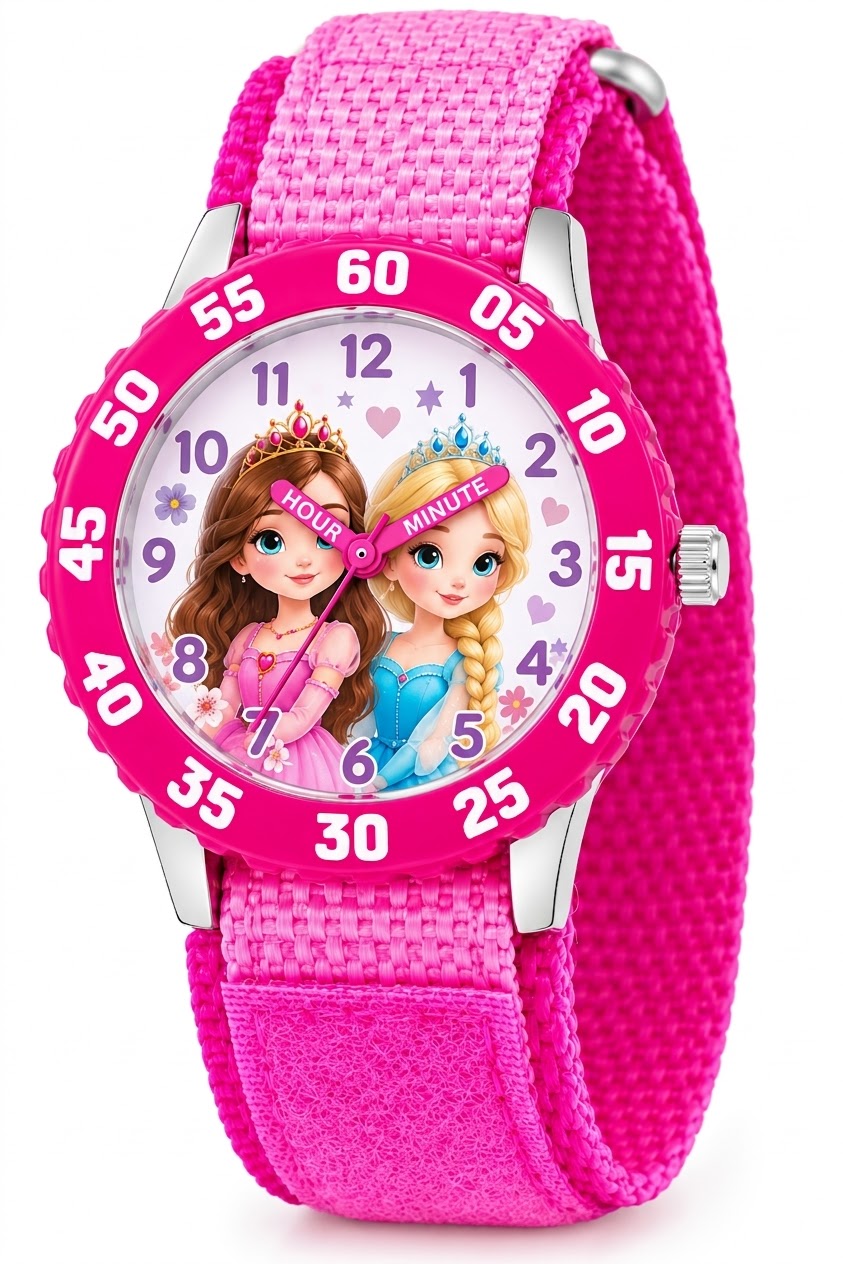
Disney Frozen Kids' Bezel Stainless Steel Time Teacher Analog Nylon Strap Watch
Check Price on AmazonIs Frozen appropriate for young children to play?
Many Frozen-themed activities are designed to appeal to children, but suitability depends on the specific game and the child. Check the age guidance and content notes for that title. Also look at reading requirements, time pressure, online interaction, advertisements, and purchase options.
Some games are simple to understand but still include in-app purchases. If a child uses a phone or tablet, set purchase approval or disable purchases through the device’s parental controls. A free download can still offer paid extras, so check the listing and settings rather than assuming it costs nothing to play.
Consider how the game handles frustration. Puzzle levels may become harder, and some games encourage players to wait, replay a level, or spend resources. Sit nearby for the first session so you can see whether the pace feels enjoyable and help the child understand any prompts.
For younger children, an offline activity can be easier to tailor. You can set a short story prompt, act out a scene, or draw a new costume. These choices give the child more control over the play and avoid unexpected ads or purchases.
Screen-free ways to play Frozen
You do not need a video game to play in the world of Frozen. Simple pretend-play ideas can work at home, at a party, or during a quiet afternoon. Keep the activity flexible so children can create their own scenes instead of needing to copy the films exactly.
- Make up a new scene: Ask what happens after a character reaches a new place, then take turns adding one sentence to the story.
- Design a kingdom: Draw a map, label places, and invent a problem the characters need to solve.
- Try a costume challenge: Use safe items from home to create a character-inspired outfit, with an adult helping around scissors or small accessories.
- Play a matching game: Draw pairs of character pictures or symbols on cards, turn them over, and take turns finding matches.
- Build a winter scene: Use blocks, paper, or other safe craft supplies to create a setting and act out an original story.
These activities work well when a child wants to be part of the story rather than watch or tap through it. They also make it easy to adapt the rules for different ages and attention spans.
Upright Freezer Organizer Bins, Freezer Baskets for 14, 15 cu.ft Standup Freezer, Wire Storage Baskets with Built-in Handles for Frozen Foods,
Check Price on AmazonCommon mistakes when searching for a Frozen game
Assuming every game is an adventure
Some Frozen games are puzzle titles, not story-driven adventures. Check the gameplay description and videos before downloading. If exploration, dialogue, or quests matter most, choose a title that clearly lists those features.
Assuming an old app is still supported
Older game pages and videos can remain online long after an app has left an official store. Use the current store listing to verify availability, and do not install files from an unfamiliar site just because they use a familiar title or logo.
Expecting to control a favorite character
A game may include Elsa, Anna, or another character without letting you play as that character. You might instead talk to them, complete tasks for them, or see them in a puzzle. Confirm the role each character plays before choosing.
Overlooking extra costs
Look for notes about in-app purchases, add-ons, subscriptions, or paid editions. If the game is for a child, set purchase controls before handing over the device. This practical check can prevent accidental charges and confusion about which features are included.
Ignoring account and connection needs
Some games require an account, an internet connection, or a platform subscription for certain features. The requirements can affect where and when the game works. Review them before travel or before setting up a device for a child.
Quick answers about playing Frozen
Is there a Frozen video game?
Yes. Frozen has had games made specifically around the films, and Frozen characters also appear in broader Disney games. The exact titles you can play now depend on your device, region, and whether the publisher still offers the game.
Can you play as Elsa or Anna?
That depends on the game. Some titles let you use or interact with Frozen characters, while others focus on puzzles or quests in which those characters appear. Check the official description for playable-character details.
Can you play Frozen for free?
Some games may be free to download, but that does not guarantee that every feature is free. Check for in-app purchases, subscriptions, and paid add-ons in the official store listing before starting.
Can you play Frozen without a console?
Yes. Frozen-themed mobile games and offline activities do not require a console. For a specific digital title, confirm that it supports your phone, tablet, or computer before downloading or buying it.
Is Disney Dreamlight Valley a Frozen game?
It includes Frozen characters and a Frozen-themed realm, but it is a larger Disney life-simulation adventure rather than a game devoted only to Frozen. Choose it if you want a broad game with quests and other Disney characters.
Yes, you can play Frozen through games and offline activities, but the experience depends on the title. Puzzle apps, Frozen content in a larger Disney game, and pretend play offer very different ways to join in.
Before downloading or buying anything, check the official listing for platform support, gameplay, age guidance, and extra costs. If you want an easy screen-free option, start with a short story or drawing activity inspired by the films.